
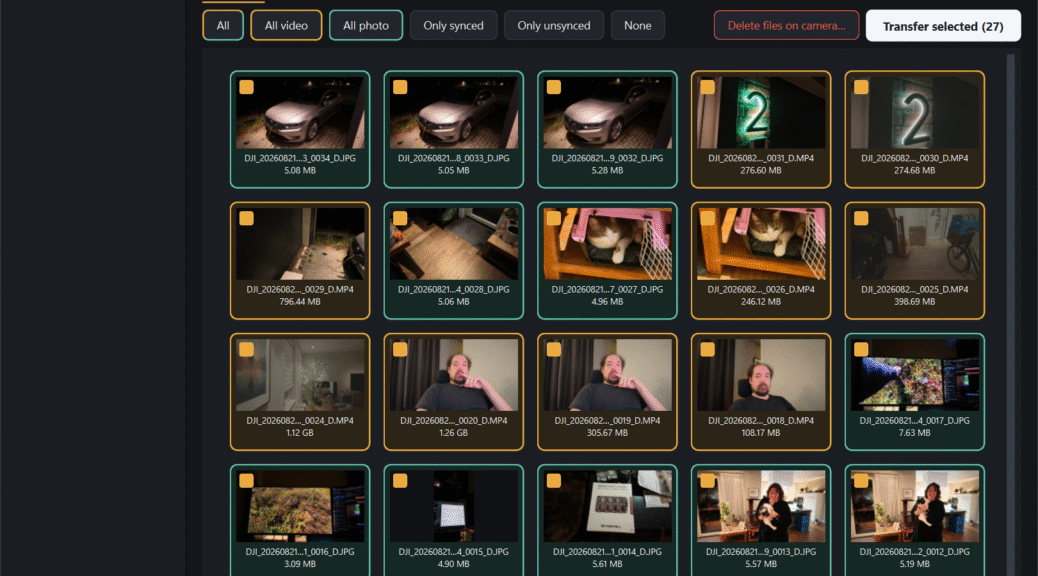
I bought a DJI Osmo Pocket 4P and wanted to use the built-in WiFi 6 filetransfer capabilities to send my recording to my Windows PC. Turns out, you can only send it to the phone app and there is no Windows functionality available.
Utterly useless and unforgivable in 2026. Luckily, some smart people have decoded most of the protocol DJI uses with their own (locked down, you need an account) phone app and one afternoon later I present to you a simple windows application that will transfer all files from your DJI Osmo onto your desktop, no phone, account or wires involved!
Some back story first!
I bought the first DJI Osmo Pocket when it was released and I shot my CampZone video series on it for instance and it’s honestly been a great camera but as it got older it’s capabilities started lagging behind a bit.
Since then my content also became mostly static and done purely at home so I’ve been using Panasonic Lumix S5 and S5-II cameras for this, which are awesome quality but they are less easy to use on the go and not really suitable for “vlog style” videos. So I bought a DJI Osmo Pocket 4P since I want to do a bit more “on the go” content surrounding the new house build and such for instance.
Built-in Storage + WiFi transfer, awesome workflow….. or not?
This camera comes equipped with WiFi-6 and ~100GB of built-in storage! So a lot of the marketing material talks about how you can use the fast WiFi to transfer the files to the edit them, awesome, I’d really like that!
Turns out, this is only possible with the phone application…. A phone application that requires an account and has all kinds of other stuff I don’t really need or want so well, that makes that feature kind of beyond useless. You still need the phone app to register the camera (you can only boot it 5 times before it refuses to start and you HAVE to log it into the app) and things like firmware updates, but that’s fine.
But for more serious users who want to edit on their desktop (I use DaVinci Resolve) there are no options for PC or Mac! “Just connect the cable” they say… yeah I mean, I get that, my Osmo Pocket from 10 years ago worked the same way, but then why do I have all this fancy new shiny hardware. Sending the files to my phone and then having it send it to my computer/NAS is also a nonsensical way of doing things in my opinion.
Others hate the “locked in app” too!
But it turns out there was an effort to deconstruct the protocol from DJI and is available on github! I took that code and while I am absolutely no coder and I guess I “vibe” coded this whole thing using AI with the available information others have done, we now have a Windows application that will wirelessly connect to your DJI Osmo Pocket 4P, download all the footage and put it in some nicely organized folders on your PC, logs everything, allows you to delete synchronized footage (both from internal storage as from the SDcard) all with a few clicks on your Windows PC!
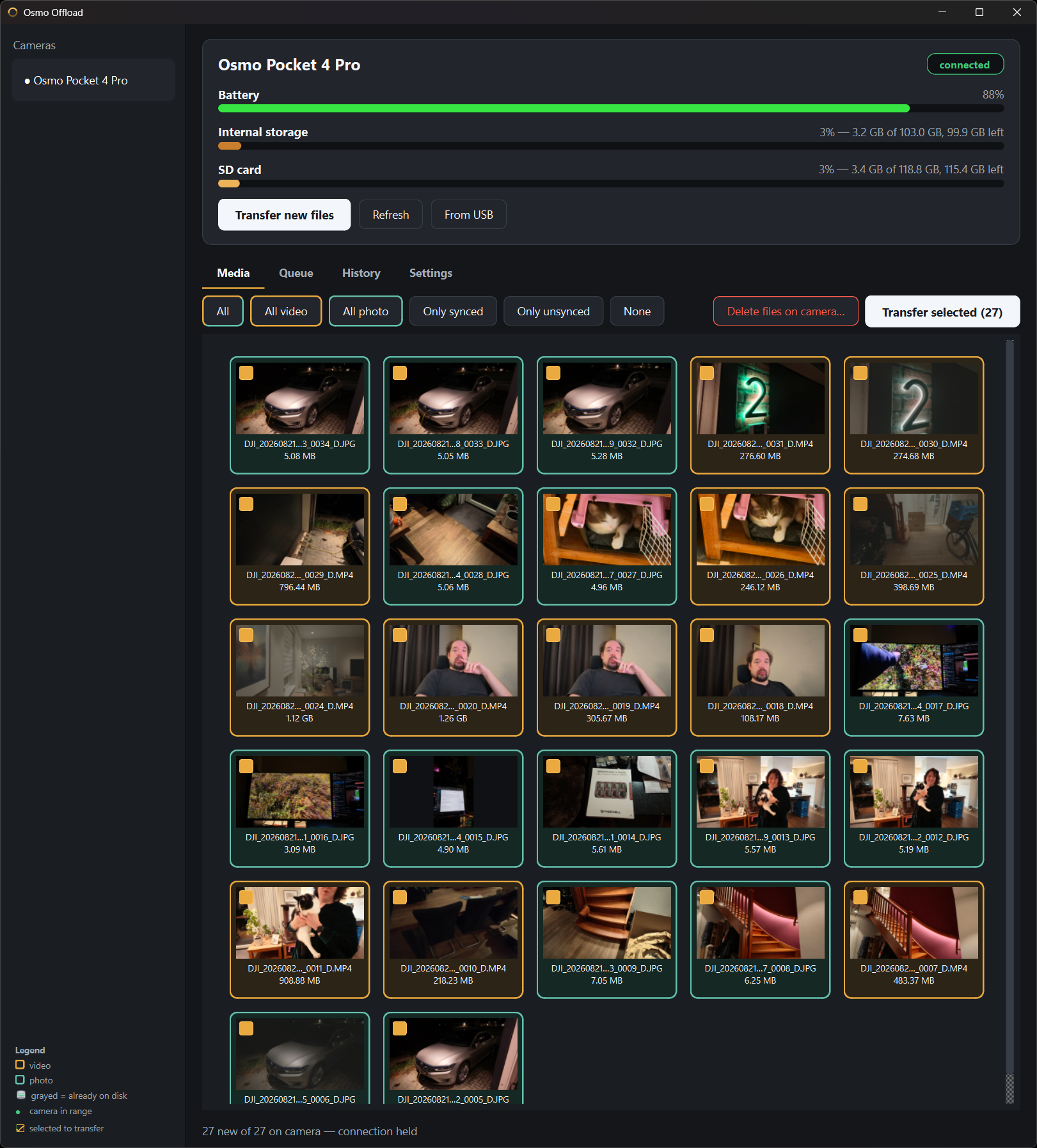
A simple Windows application to create the perfect workflow!
As mentioned above, I am absolutely no coder, I’m a hardware guy. I understand a bit of code and the structure behind it, but nowhere near enough to do this myself. So everything I’m going to show is 100% built with Claude Code!
The workflow I desired
My desired workflow is honestly really simple, I just want an application where I can come home from shooting footage, connect the camera to a charger, open an application on my desktop, hit a button to “transfer all new files” and it would do everything else automatically so connect to the device, transfer all the files and potentially also delete them once the transfers are complete.
My “Osmo Offload” application does exactly that, and a few more things in the end to make life easier.
Available for everyone
The application (and it’s source code) is available for everyone to download and use. I can’t guarantee functionality for your device or usage environment but testing it on my PC and Laptop with my DJI Osmo Pocket 4P has worked perfectly so far.
You can download it as a standalone EXE file or as a Windows installer if you prefer that (so it can autostart with Windows, etc.).
Requirements
You require a Windows PC (Windows 10 or 11, only 11 tested) with a Bluetooth and WiFi card.
My desktop and laptop are both AMD based models so I’ve tested it with Mediatek based cards (my desktop has a Mediatek MT7927) but so far it’s worked fine on those at least!
Functionality
First time wizard
First time you start the application it runs through a little wizard asking you where you want to store your files, which WiFi card to use and a few other things. No worries, you can always change those later if you want.
This wizard also allows you to couple your DJI Osmo Pocket 4 (P) to the application, this only needs to be done once.
Main Window
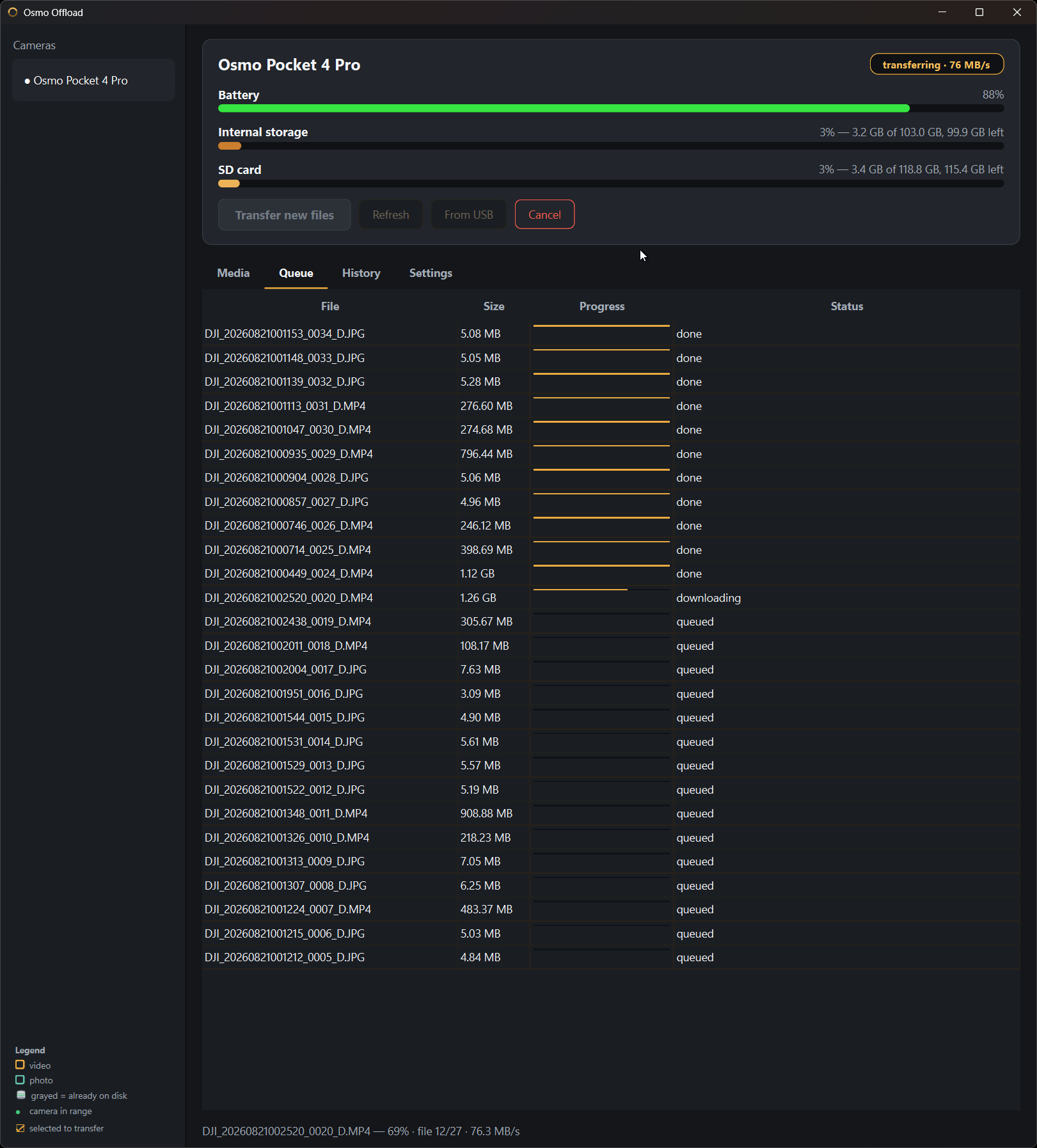
The application is configured that as soon as you start it up it’ll try and connect to your Osmo Pocket and read it’s contents and compare it against what it has already synchronized so only new files get transferred (in case you didn’t delete it from the device previously). It treats the internal storage and the SDcard as the same thing basically.
Then you can either transfer all new files or adjust your selection as you see fit and hit the transfer button to transfer all files to the folder you set!
The delete procedure is deliberately kept separate so that footage doesn’t accidentally get lost so it requires another button press after everything has synchronized to your PC (or NAS share, I send mine to my NAS using my desktop PC and also edit from here).
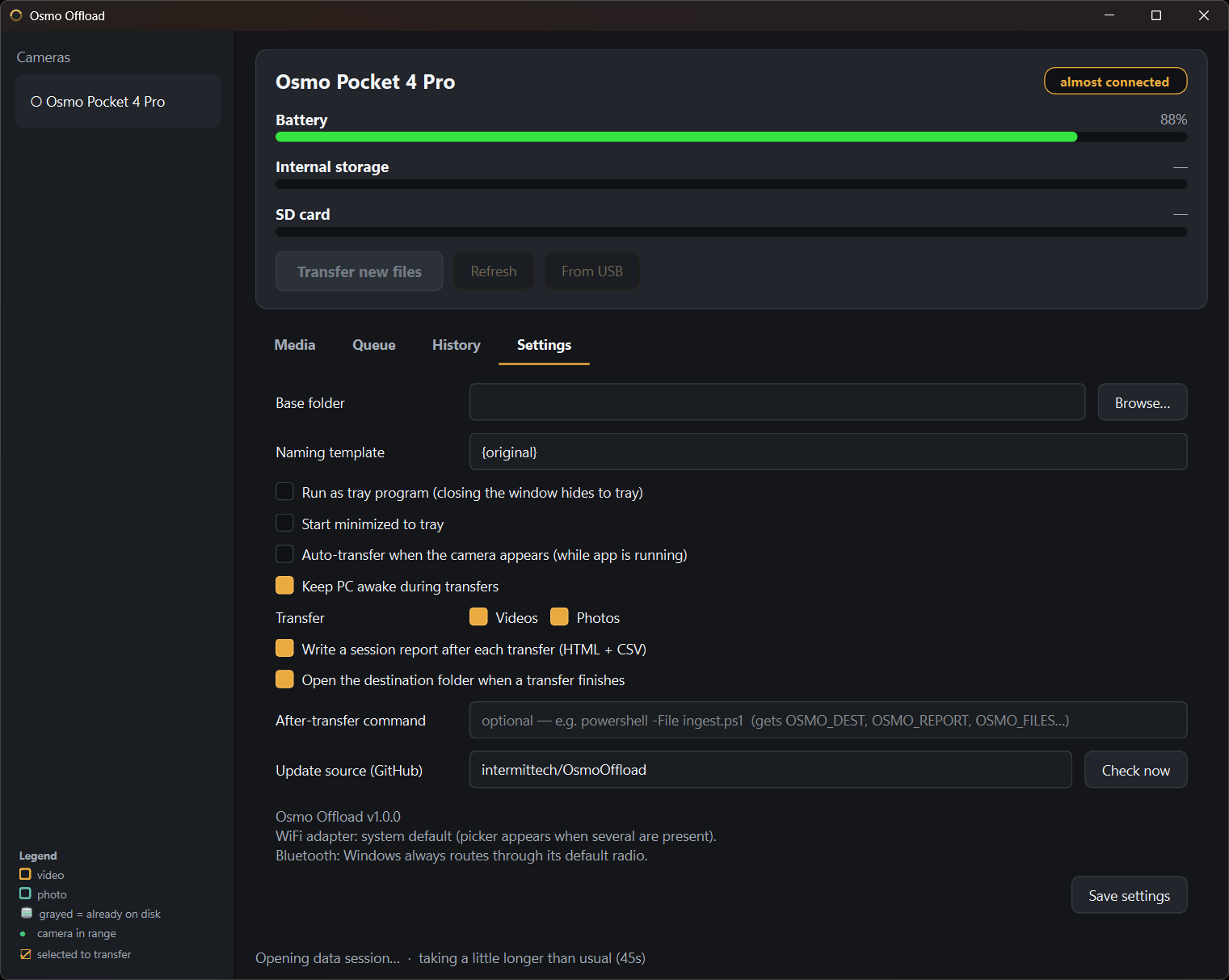
And well… that’s it!
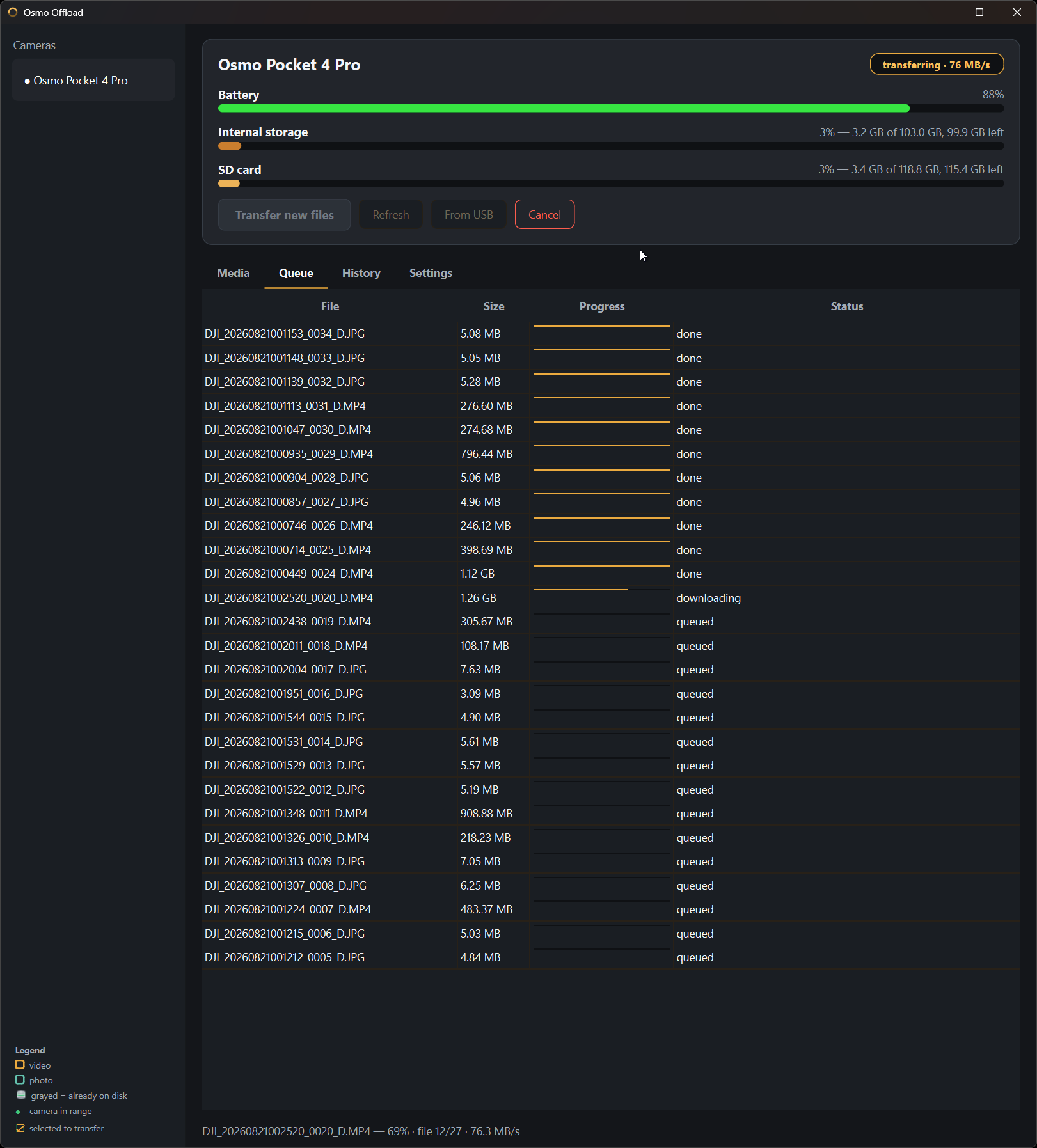
Well ok almost, there is also a bit of logging (which files are transferred and debug logs) and there is some cool things like being able to see the transfer speeds (also get logged) and a few other things.
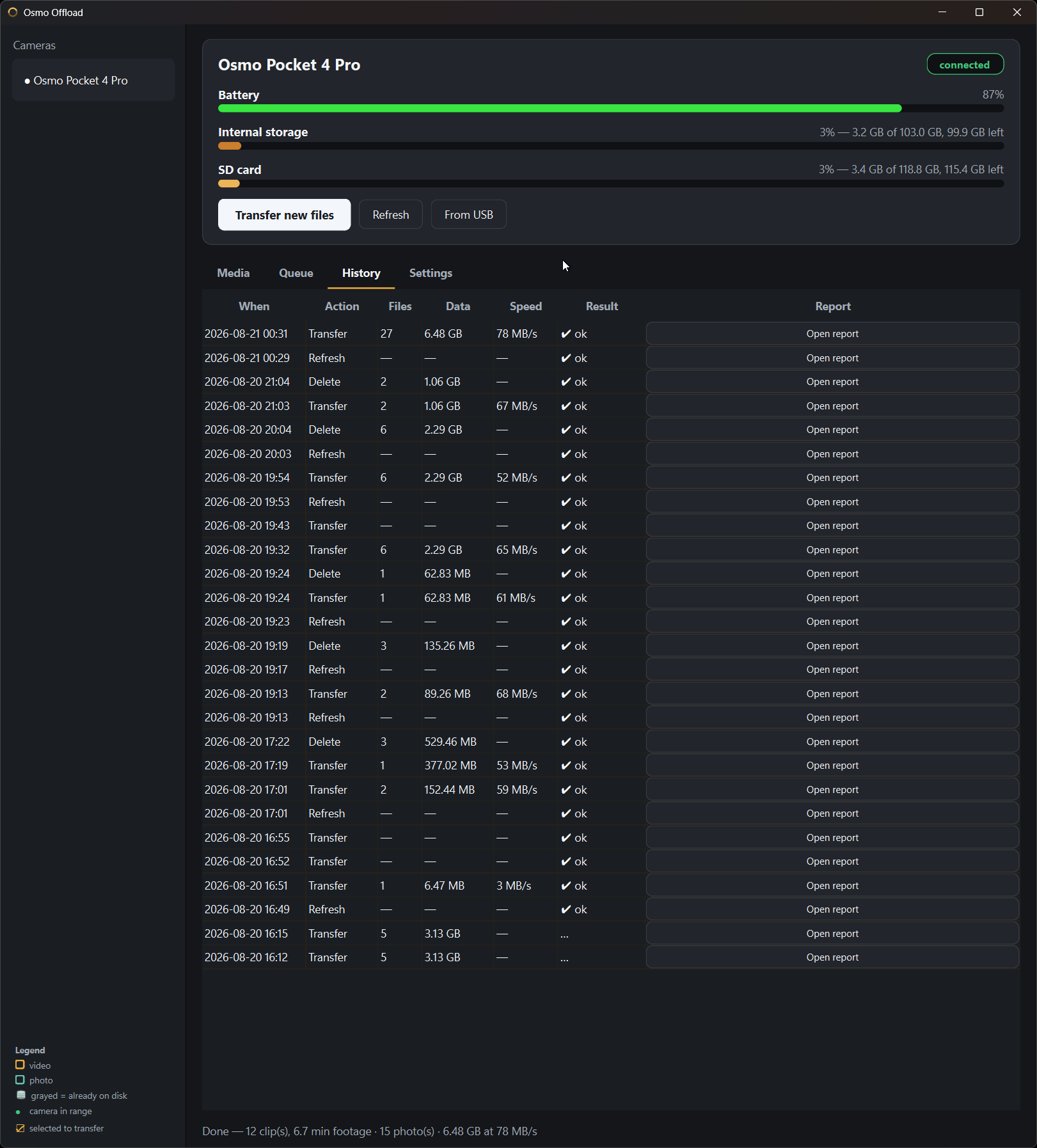 Session log overview
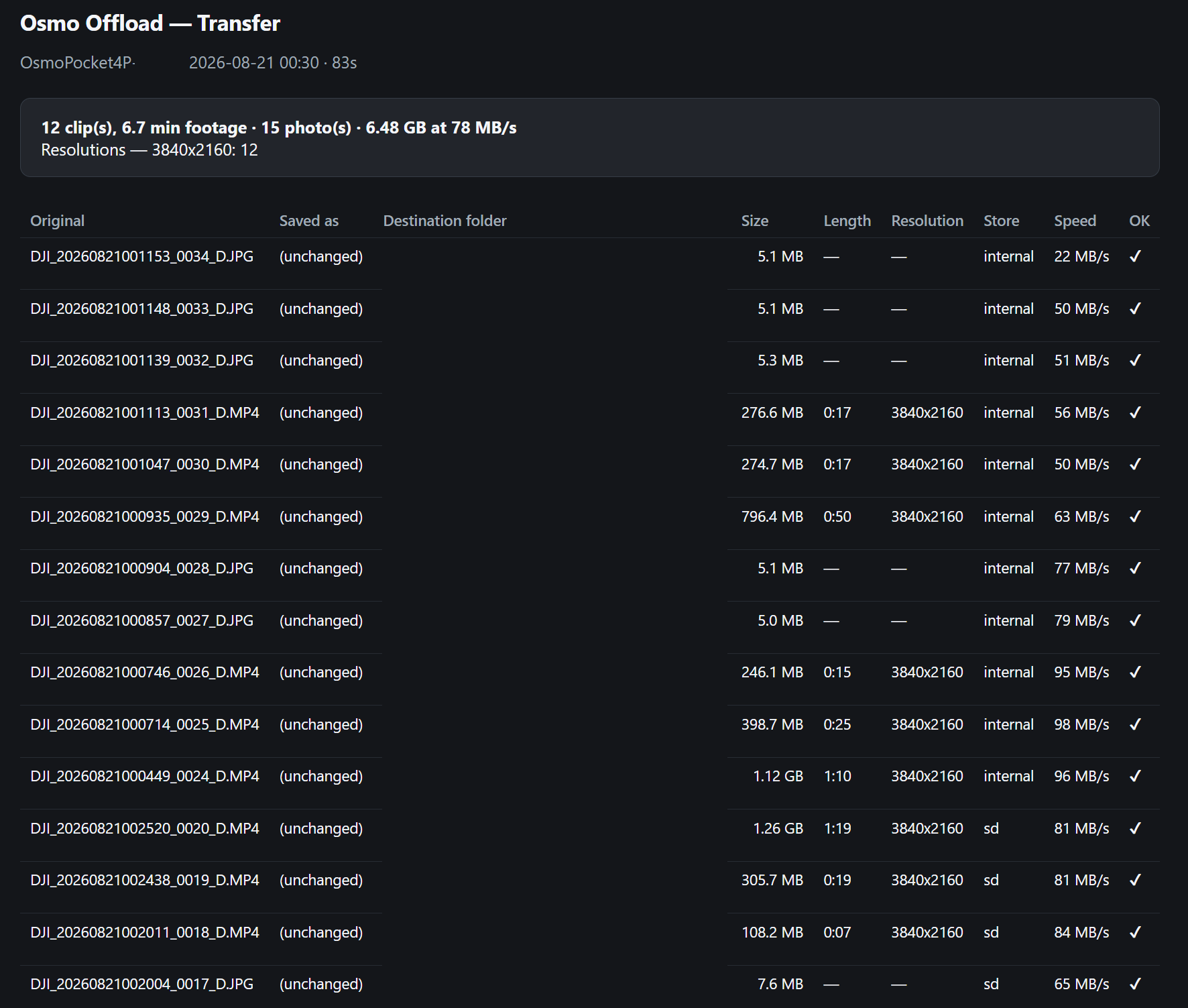 Session log details
 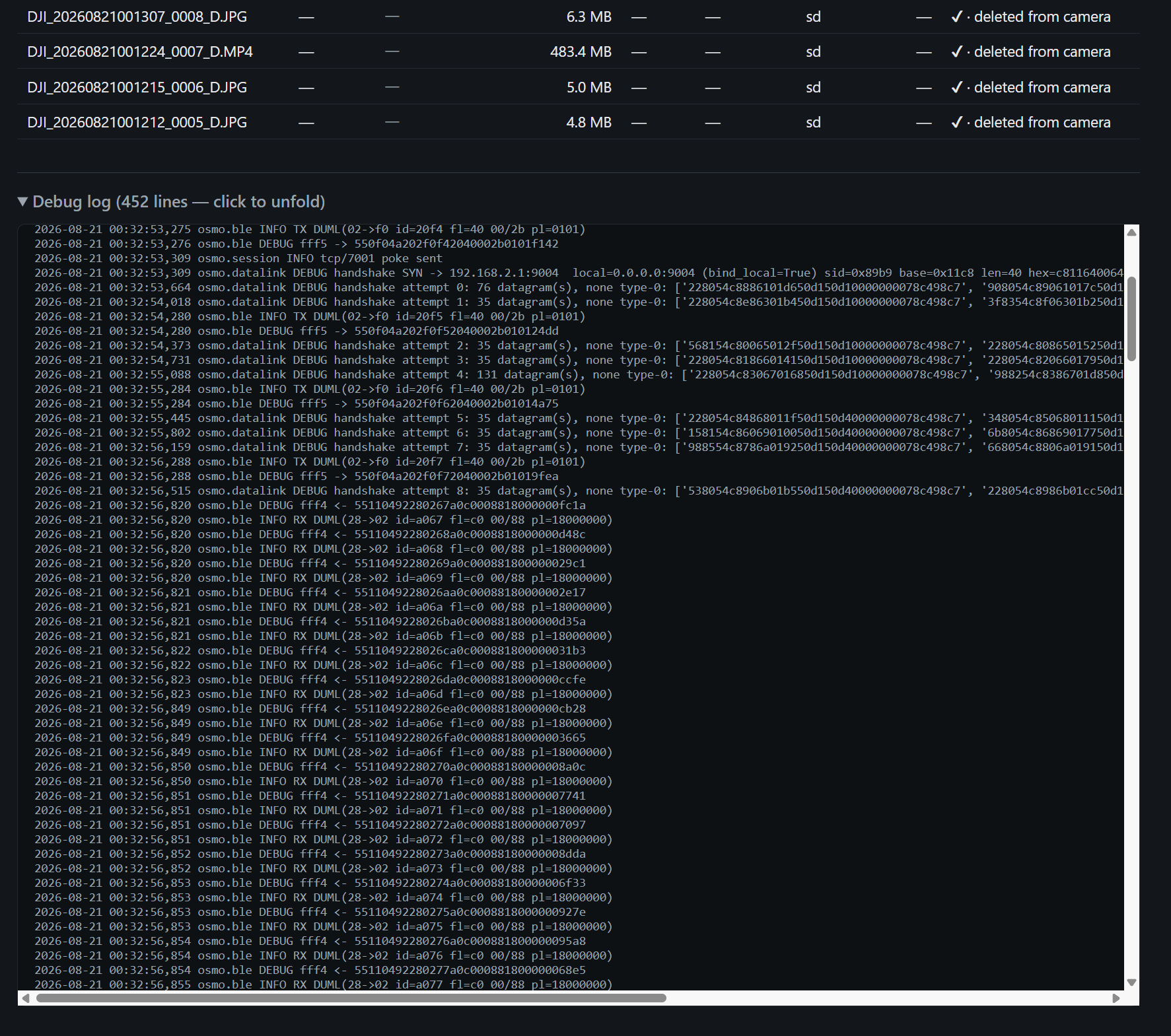 Optional session debug information
Connecting to the device is slow, transfers are fast!
Making the connection to the device is slow, this can easily take a minute or more so doing multiple operations can take a little bit. But the file transfers themselves are really quick, I’ve seen up to 70MB/sec!
Conclusion
I could ramble for hours but honestly if you have one of these devices and you are tired of having to plug multiple cables into it to transfer footage, to charge it, etc. etc.. give the application a go and let me know down below in the comments what you think about it!
It’s meant as a simple application with a clear goal but if you are missing some functionality, do let me know and I’ll see what I can do!